Ready for the lab?
We'll help you identify Quest vs LabCorp, understand the process, and fix barcode issues.
The 4-step journey
Think of your barcode as a pre-paid shipping label for your specimen.
Order & receive barcode
You get an email with a unique barcode — your digital ticket to the lab.
Identify your destination
Barcode format decides Quest or LabCorp. They are not interchangeable.
Visit the “gate agent”
Staff scan your barcode into FormFox (Quest) or LabCorp’s system to confirm your prepaid order.
Automatic reporting
Once collected, you’re done. Results track with the barcode and go out automatically.
Which lab is yours?
Look at your barcode email, then tap the match below.
One brand, many locations
Your barcode is brand-specific but valid nationally — any Quest or any LabCorp, once you know which brand.
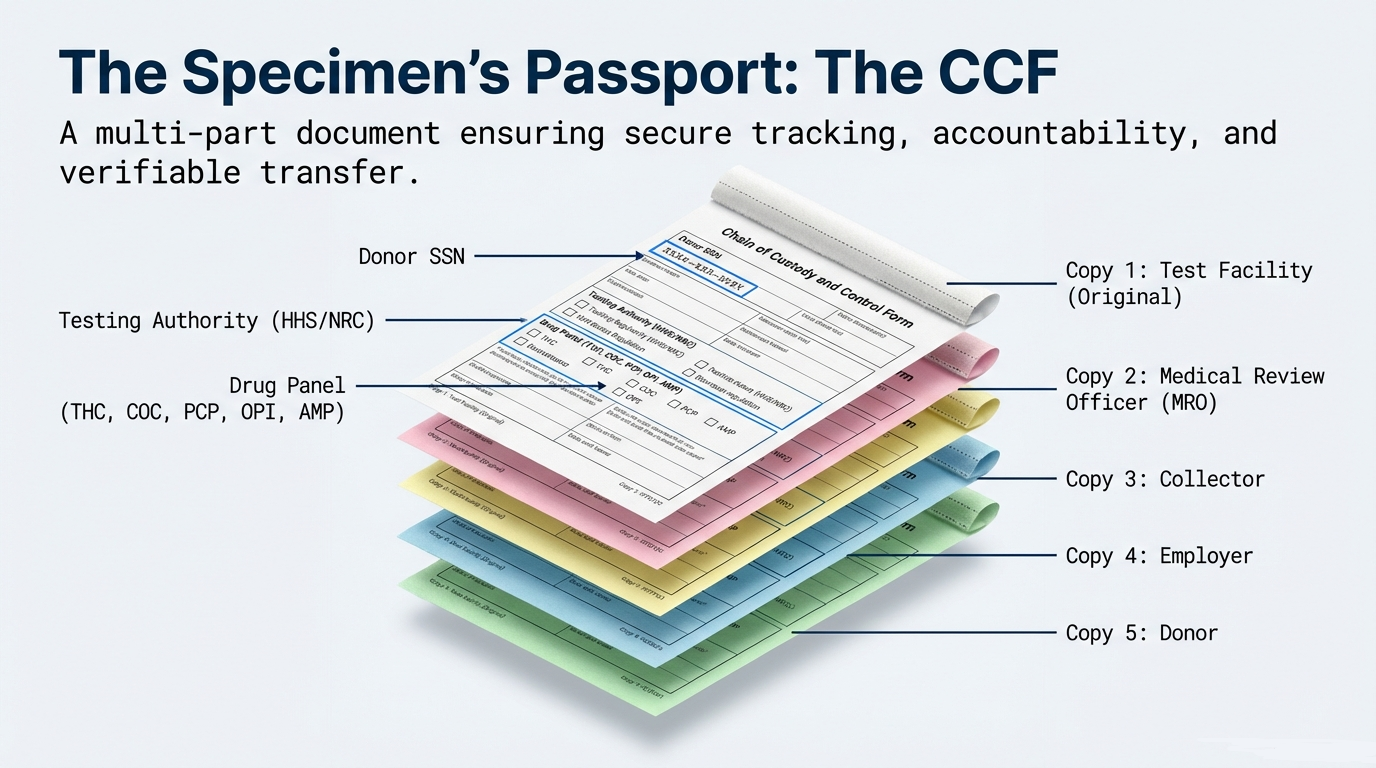
Custody & Control Form
Example of the form used during your visit.
Expired barcode
If the Valid Until date has passed, pick the path that matches your test.
Employer / court-ordered
Contact your employer or supervising officer for an extension. We can’t approve one without their permission.
Personal tests
We can often extend it. Use SOS and text support for help.
Request a refund
If an extension isn’t possible, request a refund (policy applies).
Barcode error at the lab
Use this only if you are at the collection site right now.
Tell the collector
“I need to contact my third-party administrator (LTS) to resolve a barcode issue. Can you wait one moment?”
Text us a photo
Send a clear photo of your entire phone screen showing the barcode email, plus a short description of the error.